How to Create Realistic AI Video Ads in 2026: From Brief to a 30-Second Story
Build a believable AI video ad with a complete 30-second script, six-shot storyboard, copyable prompts, product consistency checks, and a practical editing workflow.
Posted by
 Jet
Related Reading
How to Generate AI Images and Videos With the CloneViral CLI
Install cviral, generate images and video, check job status, and upload or download Viral Flow assets from your terminal.
Create AI Videos With CloneViral Plugins for GPT and Claude
Connect CloneViral to Claude Code or ChatGPT Work local / Codex, then generate images, direct shots, and build video workflows in chat.
CloneViral MCP: Generate AI Images and Videos From Your Assistant
Connect a compatible MCP client to CloneViral, verify account access, and use tools for generation, cinematic shots, translation, and Viral Flow.
A believable AI ad starts with a small, recognizable moment: someone reaches the station entrance and cannot find their travel card. A useful pocket becomes meaningful because we have just watched the problem it solves.
To make a realistic AI video ad, write that moment first, establish the product and character in reference images, generate short shots with one clear action each, and edit around the product's visible benefit. Judge realism across the whole sequence: a beautiful frame does little for an ad if the bag changes shape in the next shot.
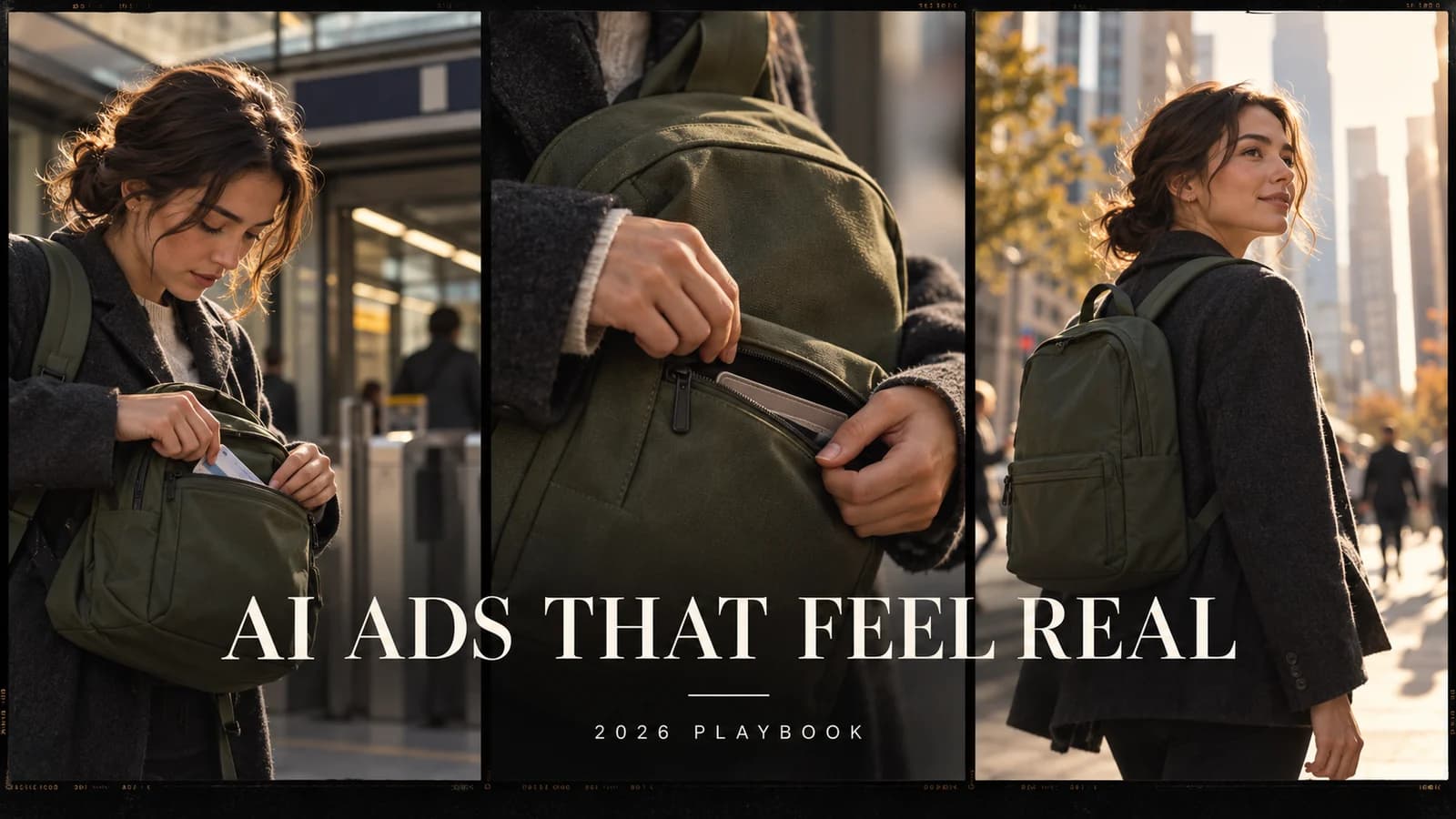
This 2026 playbook follows a fictional commuter-backpack brief from concept to a 30-second edit. The script, timing and prompts are teaching examples, not results from a paid campaign. The cover is an AI-generated editorial illustration; it is not a frame from a tested finished video.
1. Turn one verified feature into a story
Start with a narrow brief. Listing six features tends to produce six disconnected product shots. Choose one feature and a situation where it matters.
| Brief element | Example |
|---|---|
| Audience | Commuters who carry a bag to work |
| Moment | Searching for a transit card at the station entrance |
| Product feature | A small, accessible front zip pocket |
| Visible benefit | The character knows where to reach for the card |
| Tone | Observational, relaxed, lightly humorous |
| Format | 30-second vertical video |
| CTA | Explore the pocket layout |
For a real product, verify the pocket, dimensions and intended use against the actual item. Do not add waterproofing, theft protection, durability or speed claims because a generated image makes them look plausible.
Write the story in one sentence: A commuter stops searching through the main compartment after giving their travel card a dedicated place. That sentence becomes the filter for every shot. If a dramatic city flyover contributes nothing to it, leave it out.
2. Write a 30-second script before generating
Use a small change in behavior as the payoff. The character does not need an exaggerated transformation; a brief pause, a practical choice and a calmer next morning can carry the story.
| Time | Picture | Voiceover or text | Sound |
|---|---|---|---|
| 0–3s | At the station entrance, the commuter pauses beside an open bag | “The card is always in here. Somewhere.” | City ambience; fabric rustle |
| 3–7s | Close view of the main compartment; the commuter checks it | “Same search. Every morning.” | A short pause; no cartoon effects |
| 7–12s | At home that evening, the travel card goes into the front pocket | “So I gave it one place.” | Card movement; zipper |
| 12–18s | Next morning, a close view of the same pocket and card retrieval | “Right where I need it.” | Zipper; footsteps |
| 18–24s | The commuter continues toward the station | “A little less searching.” | Street ambience; restrained music |
| 24–30s | Product still, then a clean end card | “A place for the everyday. Explore the pocket layout.” | Music resolves |
These are edit durations, not promises about a model's supported clip lengths. Generate a little extra material around the action where your chosen model allows it, then trim. The final six seconds can use an approved product photograph with a gentle editorial move and typeset text.
Keep the voiceover conversational. Read it aloud against the timeline before paying for generations. Remove any sentence that only repeats what the viewer can already see.
3. Build a small reference pack
Prepare a clear product front view, three-quarter view and detail photograph of the pocket. Add a character reference and a location reference. Use images you have permission to work with.
Write down the details that must survive every cut:
- Product: olive fabric, rounded rectangular silhouette, one horizontal front zipper, dark straps, no invented extra compartments.
- Character: the same adult, charcoal jacket, cream shirt, consistent hair and accessories.
- Location: station entrance in morning light; a separate home scene for the evening reset.
- Screen direction: walking toward screen right in the station shots.
- Light: soft daylight from the same side within each scene.
Approve a still for each shot before animating it. A wrong pocket in a reference frame usually becomes a wrong pocket in motion. For more preparation techniques, see our consistent-character guide and shot-blocking guide.
4. Choose generation controls around the shot
For product-critical footage, begin with an accurate still and an image-to-video workflow that supports it. For connected scenes, use reference-image controls when available. For an exact pocket mechanism or a fine logo detail, a short real product clip may be the better source.
Compare candidates on the same difficult shot: card retrieval from the pocket. Inspect product geometry, hand contact, the identity of the card and the final pose. A model that produces a striking landscape may still struggle with this interaction.
Model availability and settings change. Check the selected generator's current reference inputs, duration, resolution and displayed price. This guide does not depend on one model winning every category.
In CloneViral, use Viral Flow to organize your generation workflow, and the character tools for character preparation. Approve the actual output at each stage; reusing a reference helps guide consistency but does not guarantee it.
5. Prompt one action at a time
A useful shot prompt specifies the subject, action, framing, light and details that must remain stable. Avoid asking one clip to search a bag, discover a card, zip the pocket, walk away and deliver a line to camera.
Start with this continuity block, adapting it to your real references:
Use the attached approved character and product references.
Same adult commuter, charcoal jacket and cream shirt.
Same olive fabric backpack: rounded rectangular body,
one horizontal front zipper and dark straps.
Preserve the pocket location, seams, proportions and wardrobe.
Natural fabric texture and restrained facial expressions.
No added logos, extra pockets or generated on-screen text.
Shot 1 — the recognizable problem
Vertical medium shot outside a city station entrance.
The commuter stands still with the backpack supported in front,
looks down toward its open main compartment and briefly pauses.
Soft morning daylight. Static camera, natural body posture.
One small moment of hesitation, not an exaggerated reaction.
Keep the referenced backpack silhouette unchanged.
Shot 3 — setting up the solution
Close-up at a home entryway in soft evening light.
The referenced olive backpack rests securely on a table.
Its front pocket is already open. One hand slowly places a plain
transit card into that pocket. End with the card inside.
Locked camera. Clear contact between hand, card and pocket.
Preserve zipper position and fabric structure.
Shot 4 — showing the payoff
Close-up of the same backpack outside the station next morning.
The front pocket is already open and the card edge is visible.
One hand takes the card out in a single unhurried movement.
The backpack remains still. Static camera, soft daylight.
The card remains one rigid object throughout the action.
No zipper operation, walking or camera orbit in this shot.
Separating opening the zipper from retrieving the card reduces the number of interactions the model must resolve. If the action still fails, use a real insert or cut between two truthful states. Do not hide an invented product capability behind a fast edit.
6. Repair failures before making more variations
The following are diagnostic examples, not measured before-and-after results from this project.
| Symptom | Likely issue to inspect | Useful next attempt |
|---|---|---|
| Pocket moves or bag changes shape | Product reference is ambiguous or motion is too complex | Use a clearer product still; lock the camera and bag |
| Card melts into the hand | Several small interactions happen together | Begin with the pocket open; isolate card retrieval |
| Face or jacket changes between shots | Character references or descriptions differ | Reuse the approved reference and continuity block |
| “Realistic” footage looks like a beauty filter | Lighting and texture are overspecified as glamorous | Ask for ordinary daylight, natural texture and restrained grading |
| Every shot floats or circles | Camera movement has no narrative purpose | Keep detail shots static; reserve movement for walking |
| Logo or text is misspelled | Text is being synthesized inside the moving scene | Use approved product footage or add accurate text in the edit |
Change one variable per retry so you can tell what helped. Save the successful reference, prompt and settings alongside the chosen clip.
7. Edit for believable time and space
Assemble a rough cut without music first. The viewer should understand the problem, the evening reset and the next-morning payoff from the pictures alone.
Keep the time change legible with a short “That evening” caption or a clear change of setting. Check that the card is in the correct hand and that screen direction stays coherent. Let the product interaction finish before cutting away.
Add quiet location ambience, a zipper sound only when the zipper actually moves, and footsteps aligned with the action. A sound effect placed over the wrong action can expose a synthetic scene as quickly as a visual error.
Use readable captions with comfortable margins and preview the export on a phone. Add brand names, CTA and other exact typography in the editor. Check the final frame with sound off: can someone identify the product and the next step?
8. Test three openings, keep the body fixed
Create three versions of the first three seconds while keeping the product story, offer and CTA the same:
| Version | Opening idea | What it explores |
|---|---|---|
| Recognition | “The card is always in here. Somewhere.” | Familiar frustration |
| Question | “Where does your travel card live?” | Curiosity and self-recognition |
| Detail | Start on the pocket and visible card | Immediate product clarity |
Compare early retention, completion, click-through and downstream conversion within a comparable audience and placement. Do not declare a winner from a handful of views. A hook that earns attention but attracts the wrong shoppers may not improve the campaign.
For a speaking-to-camera approach, continue with our UGC advertising guide. An AI character can present a fictional scene; do not describe that performance as a real customer's experience.
9. Track the cost of the finished edit
The useful budget is the cost of all attempts required to produce an approved ad. Record discarded generations and manual editing time, too.
| Record | What to write down |
|---|---|
| Shot and version | For example, pocket retrieval v3 |
| Settings | Model, inputs, duration and resolution |
| Attempts | Every generation, including rejected ones |
| Spend | Actual credits charged, plus other production costs |
| Work time | Reference preparation, review, repairs and editing |
| Decision | Accepted or rejected, with the reason |
If your account has Unlimited, verify that the specific generation is covered and shows the expected price before submitting. Coverage depends on the applicable campaign and settings; paid Boost and uncovered work can consume credits. Read the Unlimited explanation and your current account offer rather than assuming every tool or workflow is free.
No cost or time benchmark is claimed for this teaching example. Fill in the table from your own production run before using it in a budget or case study.
Before you publish
Watch once for story, once for product accuracy and once for technical defects. Confirm the advertised feature exists, the product is recognizable across shots, interactions make physical sense, captions are readable and the CTA matches the landing page. Keep fictional demonstrations distinct from customer evidence, and check the destination platform's current requirements for synthetic content.
FAQ
Can I make the whole ad with one prompt?
You can experiment with a single generation, but separate shots give you more control over timing, product accuracy and repairs. Replace the weak shot without regenerating the whole story.
How do I make an AI ad look less artificial?
Use specific everyday behavior, controlled lighting, stable references and simple physical actions. Check continuity and sound as carefully as skin texture. Adding “ultra-realistic” to a prompt cannot fix a contradictory sequence.
Do I need a talking AI avatar?
No. This example uses product interaction and voiceover. Use an on-camera presenter when their explanation contributes something the product footage cannot show clearly.
What should I generate first?
Test the hardest product interaction before the easy establishing shots. If card retrieval cannot be made accurate, change the shot plan or use real footage before investing in the rest.
Start with one product, one credible benefit and six planned shots. Open Viral Flow and turn the brief into a sequence you can review one shot at a time.
Premium AI Video Generation Experience
We support advanced AI video generation technology for viral content
Start Creating Now