What Is Shot Blocking? A Practical Guide to 3D Blocking and Previz
Shot blocking is planning where actors, props and the camera go before you shoot. Learn the basics, the rules that keep a scene readable, and how to block a shot in 3D in your browser.
Posted by
 Jet
Related Reading
How to Create Realistic AI Video Ads in 2026: From Brief to a 30-Second Story
Build a believable AI video ad with a complete 30-second script, six-shot storyboard, copyable prompts, product consistency checks, and a practical editing workflow.
How to Generate AI Images and Videos With the CloneViral CLI
Install cviral, generate images and video, check job status, and upload or download Viral Flow assets from your terminal.
Create AI Videos With CloneViral Plugins for GPT and Claude
Connect CloneViral to Claude Code or ChatGPT Work local / Codex, then generate images, direct shots, and build video workflows in chat.
Shot blocking is deciding, before you shoot, where everyone and everything goes in a scene: where the actors stand and move, where the props sit, and where the camera is and how it moves. The term comes from theatre, where directors once worked out positions with small blocks on a model of the stage.
Good blocking is why a scene feels easy to follow. Bad blocking is why a scene feels flat, or why the audience loses track of who is where.
What blocking decides
A blocked scene answers four questions:
- Where are the actors, and when do they move? Entrances, crosses, who stands closer to whom.
- Where is the camera? Its position for each shot, and the lens or framing.
- How does the camera move? Pushes, pans, tracking shots, a handheld follow.
- Where does the light come from? The key light should make sense with where people stand.
Camera blocking and actor blocking are planned together. A great camera move is useless if the actor walks out of frame halfway through it.
The rules that keep a scene readable
- The 180-degree rule. Draw a line between two characters and keep the camera on one side of it. Cross it without a reason and the characters seem to swap sides of the screen.
- Motivated movement. Move the camera because something moves: a character walks, a door opens, a reveal happens. Unmotivated moves feel like decoration.
- Eyelines. If a character looks off-screen left, the person they are looking at should look back off-screen right in the next shot.
- Depth. Place people and props at different distances from the camera. Layers make a frame feel like a real space.
How blocking is usually done
Most productions use one or more of these:
| Method | Good for | Limit |
|---|---|---|
| Overhead floor plan | Quick, shareable, cheap | Hard to judge framing and lenses |
| Storyboards | Showing the frames | Don’t show movement or timing |
| Rehearsal on set | The real thing | Expensive: everyone has to be there |
| 3D previz (previs) | Real camera moves, lenses and timing | Traditionally needs 3D software and skills |
Previz (short for previsualization) is the 3D version: a rough digital model of the scene where you can move a virtual camera and play the shot back. Big films have whole previz teams. Small teams and solo creators usually skip it, because building a 3D scene in Blender or Unreal takes days.
3D blocking without 3D skills
A 3D blockout doesn’t need detailed models. Boxes, simple figures and placeholder props are enough to test the shot. What matters is space, scale, the camera and the timing.
That is what Viral Blocks is built for. You describe the scene in plain words, and an AI model writes a Blender scene for you: the set, the props, the lights and the cameras. Then you direct it in the browser.
How to block a shot in 3D, step by step
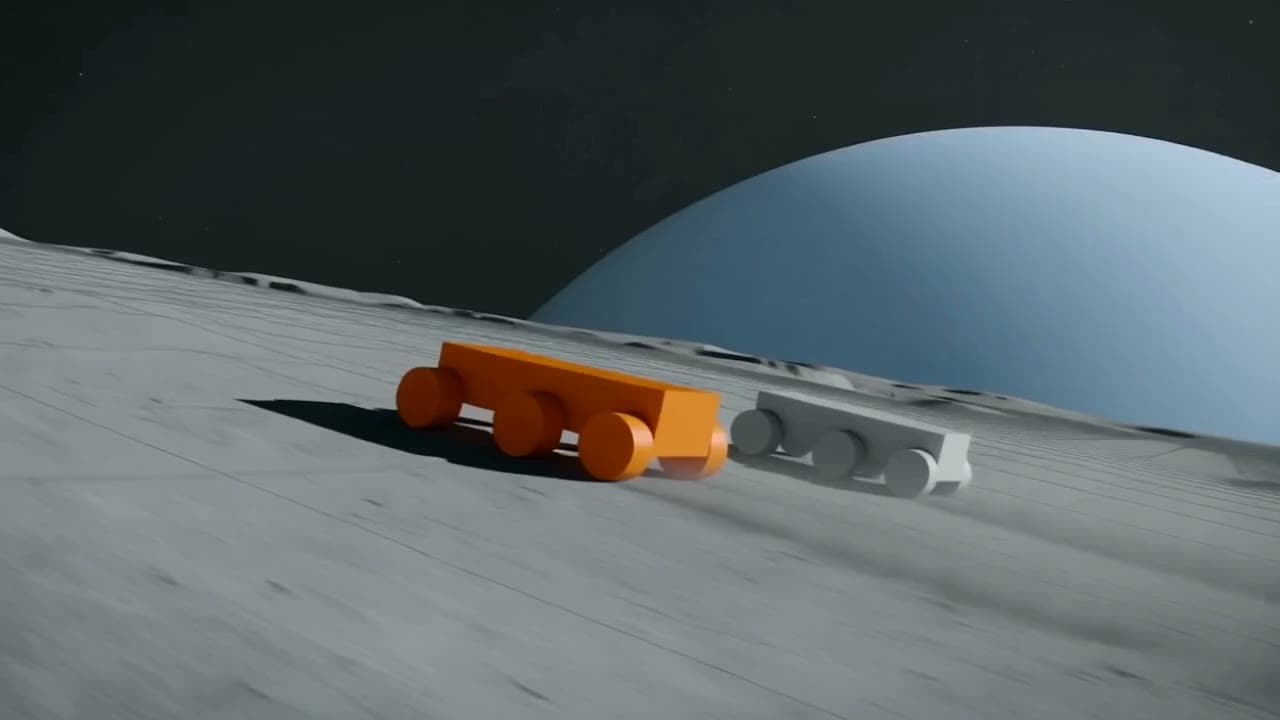
- Describe the scene and the camera. For example: “Two buggies racing across a moon crater, low tracking camera beside them, then a fast whip pan as one jumps.” You can attach up to 4 reference images for the look of the set.
- Adjust the blockout. Move or resize props in the 3D viewport, change the lights, and frame each camera. If something is wrong, ask for the change in words and the scene is rewritten.
- Cut between cameras. On the timeline, choose which camera the shot is seen through and when, for up to 50 cuts.
- Export. Render the shot as a 720p or 1080p video at 24 fps (5, 10 or 15 seconds; 16:9, 9:16 or 1:1), or export the whole scene as a GLB file to keep working in Blender or a game engine.
Turning the blockout into finished footage
A blockout shows the motion, not the final look. To get a finished-looking clip, use the exported video as the motion reference and restyle it with Viral Switch: the camera move and timing stay, and the boxes become a real-looking scene. To build a whole video around the shot, with a script, voice and captions, put it in Viral Flow.
Common blocking mistakes
- Planning frames instead of movement. A storyboard can look great while the actual move between frames doesn’t work. Play the shot back in real time.
- Ignoring the lens. A wide lens and a long lens tell very different stories from the same position. Try both.
- Too many camera moves. If every shot moves, none of them feels special. Keep some locked off.
- Blocking without the light. Decide where the light comes from early, or you will fight it later.
FAQ
What is the difference between blocking and staging? Staging is the overall arrangement of a scene for the audience; blocking is the specific plan of positions and movements that achieves it. In practice the words are often used interchangeably.
Is previz the same as a storyboard? No. A storyboard is a set of still frames. Previz is a moving 3D version of the scene with real camera moves and timing.
Do I need Blender to do 3D blocking? Not with Viral Blocks. The Blender scene is written by AI from your description and you adjust it in the browser. You can still export it as GLB if you want to continue in Blender.
How much does it cost? Viral Blocks is in beta. Each prompt shows its estimated credit cost before you generate, and it depends on the AI model you choose.
Ready to try it? Block out your first shot in Viral Blocks.
Premium AI Video Generation Experience
We support advanced AI video generation technology for viral content
Start Creating Now