TurnCLAUDEinto a creative engine

Connect your AI assistant to CloneViral via API key — generate videos, clone TikToks, and translate content without leaving your chat.
Install CloneViral in your AI assistant
Each plugin bundles workflow Skills and an MCP connection for generating videos and images with CloneViral.
1. Configure your API key
Create an API key above, then set CLONEVIRAL_API_KEY in the environment of the app before launching it. Each user connects with their own key.
2. Paste this into Codex
Codex only accepts git or local marketplaces, so it downloads the package and registers it for you. Paste the request into Codex.
Your assistant asks you to approve the commands it runs. Restart it afterwards so the plugin loads.
Install the CloneViral plugin for me: download https://cdn.cloneviral.ai/plugins/cloneviral-chatgpt-latest.zip, extract it to ~/.cloneviral/cloneviral-chatgpt, then run "codex plugin marketplace add ~/.cloneviral/cloneviral-chatgpt" and install the CloneViral plugin from that marketplace.
The OpenAI package is for hosts that support local plugins, including Codex and ChatGPT Work local. It is not a ChatGPT web upload or an official directory listing.
Start a new conversation and ask: “Show my CloneViral credit balance.” Video and image generation uses your CloneViral credits.
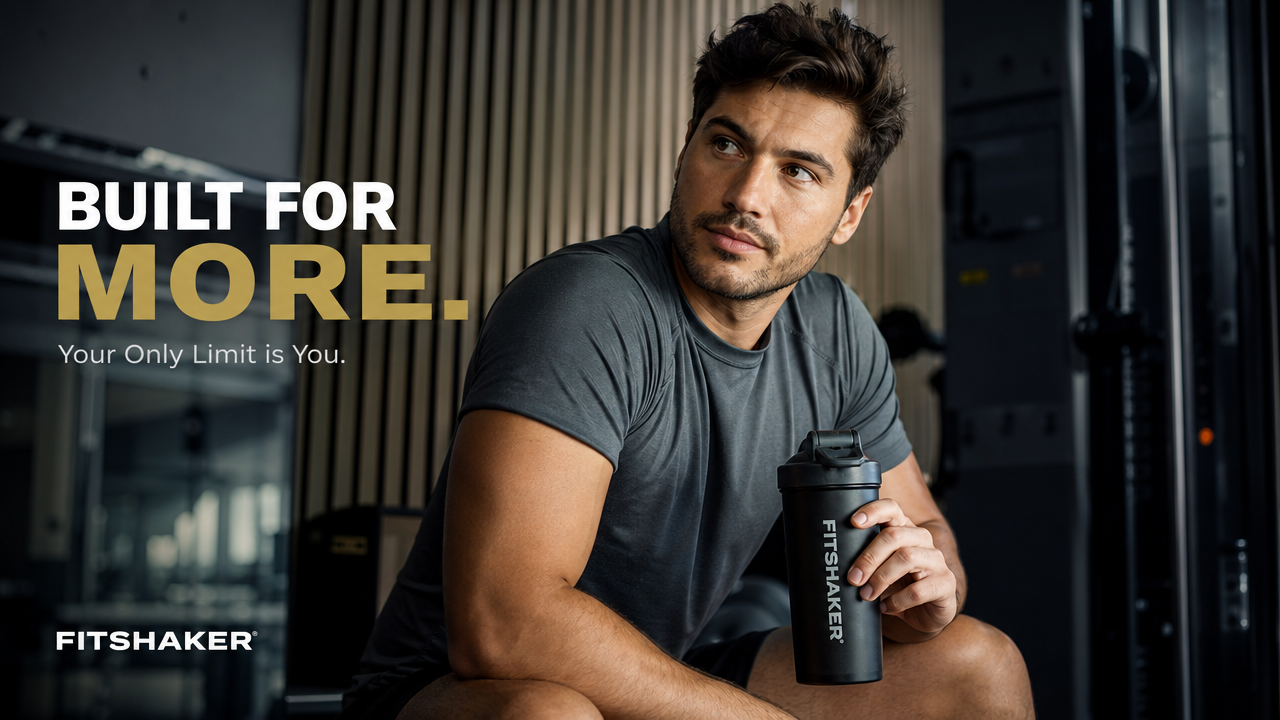
Turn one prompt into a UGC ad
Generate authentic creator-style video ads with Seedance 2 or Kling 3 — testimonials, product demos, unboxing clips. Ready for TikTok and Reels.
Use cloneviral seedance2 to generate a 15s UGC testimonial ad, young man, gym setting, 16:9, authentic creator style
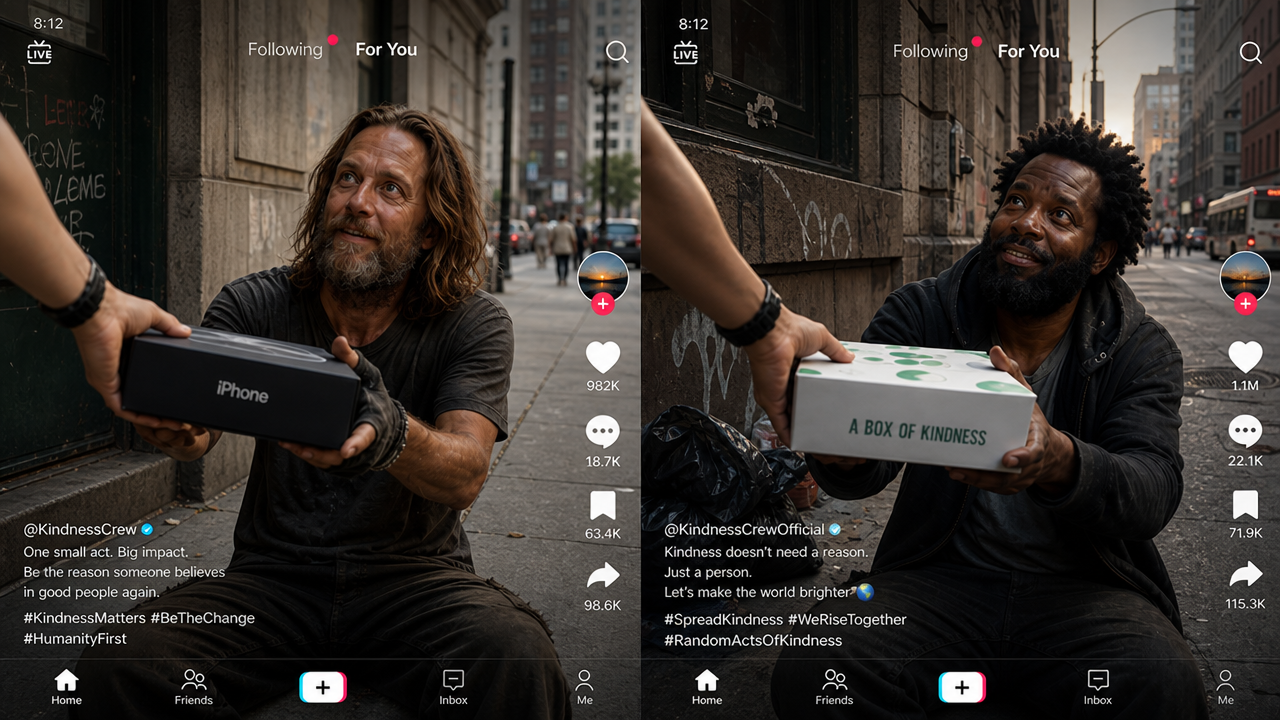
Clone a top-performing ad in your niche
Feed CloneViral a TikTok URL. It extracts the hook, pacing, and style — then generates fresh variants featuring your product, ready to run.
Analyze this top TikTok ad and generate 2 remix variants for my supplement brand, keep the hook structure: https://www.tiktok.com/@example/video/123
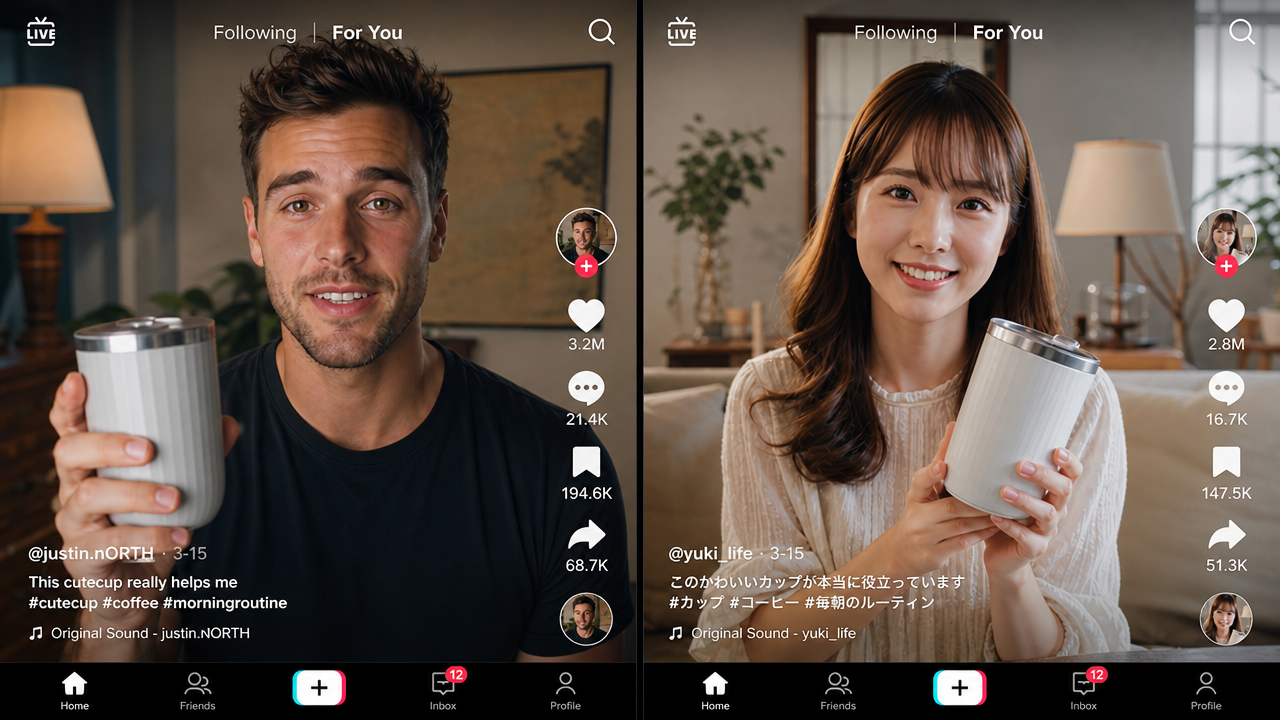
Localize your ads for every market
AI-dub and translate your best-performing video ads into Japanese, Korean, Spanish and more — same energy, native language, zero re-shoot.
Translate this product ad video to Japanese with an energetic casual tone, https://cdn.example.com/ad.mp4

Generate on-brand product visuals
Create scroll-stopping product images for ads, landing pages, and social — no photoshoot needed. Flux Pro and GPT Image 2 deliver commercial-grade results.
Use cloneviral Flux Pro to generate a lifestyle product photo of wireless earbuds on a minimal desk setup, warm tones, marketing style, 4:3
Frequently Asked Questions
MCP stands for Model Context Protocol, an open standard for connecting AI assistants to outside tools and data. An MCP server is the piece that exposes those capabilities: the assistant discovers what the server can do and calls it directly in the conversation. CloneViral runs one at cloneviral.ai/api/mcp, which is what lets Claude generate video, clone a TikTok or translate an ad without you leaving the chat.
An API is called by code you write; MCP is called by the model itself. With a plain API you build the request, handle auth and parse the response. With MCP the server advertises its tools and schemas, the assistant picks the right one and fills in the arguments, and you just describe what you want in plain language. CloneViral offers both — the REST API for your own code, the MCP server for your agent.
Add the server to your Claude Code MCP config with the URL https://www.cloneviral.ai/api/mcp and your API key as a Bearer token, then restart Claude Code. Ask it to list the available tools to confirm the connection before your first generation.
Skills are installed into Claude itself rather than browsed in a single storefront — Anthropic documents the format, and community lists collect the good ones. CloneViral publishes its Skill manifest at cloneviral.ai/api/skills/manifest.json, so you install it by sending Claude that URL; no config file editing and no terminal.
A hosted Model Context Protocol endpoint at cloneviral.ai/api/mcp. It connects Claude Desktop, Claude Code, OpenClaw, Hermes Agent, and Perplexity directly to CloneViral — so your AI agent can generate videos, clone TikToks, translate ads, and create images without leaving the chat.
Add a new MCP server in Claude Code config: URL → https://www.cloneviral.ai/api/mcp, auth → your API key as Bearer token. Restart Claude Code, then ask: "Use cloneviral to generate a 15s UGC skincare ad with Seedance 2, 9:16."
Yes. CloneViral's MCP server follows the standard MCP spec and works with any compatible client: OpenClaw, Hermes Agent, Cursor, Windsurf. Add the server URL and your API key to your agent's MCP settings.
Around two dozen, in four groups. Generation: images, video, cinematic frames and shots. Understanding: analyse a source video, build brand-adapted remix variants, translate and dub. Viral Flow: create a node graph, add and connect nodes, run one node at a time, poll it, and list or export what it produced. Account: credits, saved characters, recent videos. Ask your assistant to list them - the server advertises the current set, so it is always ahead of any list we write here.
A lightweight plugin for Claude Desktop and Claude.ai that installs with a single prompt — no config file editing needed. It gives Claude the same video generation, TikTok cloning, translation, and image creation capabilities as the MCP server.
Send this to Claude: "Please install this skill: https://www.cloneviral.ai/api/skills/manifest.json". Claude fetches and activates it automatically, then asks for your API key. Done — no terminal required.
Ask Claude to generate UGC video ads (Seedance 2 or Kling), clone a viral TikTok by pasting a URL, translate and localize a video ad into Japanese or Korean, or generate AI product images — all conversationally inside Claude.ai.
Use the MCP server for Claude Code, OpenClaw, Hermes Agent, Cursor, or any programmatic / multi-agent workflow. Use the Claude Skill for quick conversational use inside Claude Desktop or Claude.ai with zero setup.
Yes. CloneViral + Claude Code is a full AI content engine: Claude Code handles scripting, trend analysis, and prompt chaining; CloneViral MCP handles video production with Seedance 2, Kling, or Veo 3. You can automate a TikTok content factory — analyze top videos, generate remixed brand variants, and produce localized versions for multiple markets.
Video: Seedance 2.5 for long single-pass shots, MiniMax H3 for native audio and lip sync, Kling 3.0 for cinematic motion, and Veo 3.1. Images: Seedream 5.0, GPT Image 2.5, Nano Banana and the FLUX family. The model list moves faster than this page, so the picker in the app is the authority.
More questions? Email us at [email protected]